In the modern digital world, our lives revolve around connected devices. Everything is quicker and simpler thanks to technology. This covers workplace systems, laptops, cellphones, routers and smart TVs. However, cyber attacks are a growing worry that come along with this convenience.
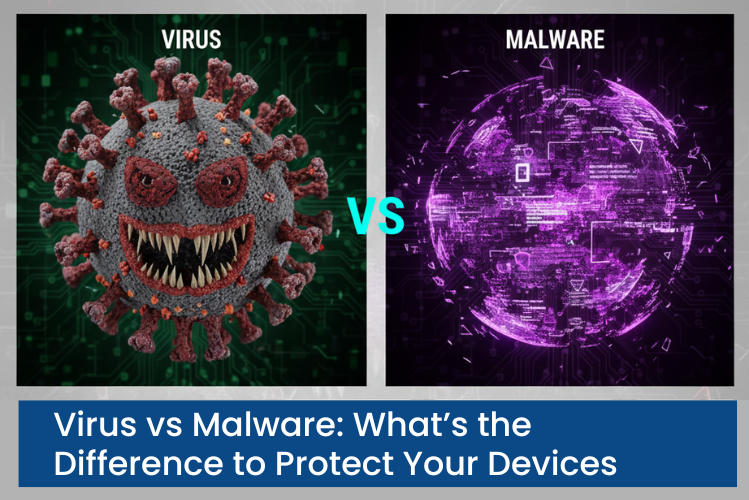
In cybersecurity, people often use malware and viruses to mean the same thing. But they're actually a bit different, even though they're related. Knowing how they differ is key to keeping your devices, info and privacy safe.
This comprehensive guide clarifies the true nature of viruses and malware, how they impact your devices and—above all—how to properly defend yourself without becoming bogged down in technical details.
Why Understanding Cyber Threats Is So Important Today
Cyberattacks are no longer exclusive to tech professionals or big businesses. Everyday users are now prime targets because they:
- Store personal data online
- Use digital payments and banking apps
- Work remotely
- Depend on cloud storage
- Remain connected at all times.
Hackers are aware that sensitive data might be accessed with even one unsecured device. Because of this, it is now imperative to comprehend hazards like viruses and malware.
What Is Malware? The Big Picture
Any software developed with malicious purpose is referred to as malware. Its primary objective is to compromise, harm, spy on, or take advantage of your device without your consent.
Malware is often designed to stay hidden. Many users don’t realize their system is infected until real damage has already been done.
✔ What malware can do
- Steal passwords, banking details, and personal data
- Monitor your online activity silently
- Lock or encrypt files and demand payment
- Display intrusive ads and pop-ups
- Hijack system resources
- Create unauthorized access points
Malware doesn't necessarily have a suspicious appearance. It frequently poses as system upgrades, email attachments or even standard software.
What Is a Computer Virus?
One particular kind of dangerous software is a computer virus. When genuine files or programs are opened or shared, it spreads by attaching itself to them.
Unlike many modern threats, a virus usually needs human interaction to activate such as clicking a file or installing a program.
✔ How viruses typically behave
- Attach themselves to existing files or software
- Replicate and spread to other files
- Slow down system performance
- Corrupt or delete data
- Cause programs to crash
Viruses were among the first cyberthreats, and despite advancements in technology, they continue to exist, frequently in conjunction with more recent attack techniques.
Why the Difference Between Virus and Malware Matters
Many people believe avoiding “viruses” means they’re safe. Unfortunately, that’s not true.
The behavior of contemporary cyberthreats differs from that of conventional viruses. Some don't attach to files, some don't reproduce and some leave no discernible evidence at all. If you simply consider viruses, you can miss other serious risks that are classified as malware.
✔ Understanding this distinction helps you:
- Take cybersecurity more seriously
- Use better protection tools
- Recognize threats sooner
- Steer clear of typical internet pitfalls
Common Malware Types You Should Understand
Cyberthreats are more varied than they have ever been. Some of the most common malware types that cause harm to users are as follows:
✔ Ransomware
Your files or system are locked by this malware, which then demands payment to unlock it. Large companies, hospitals, small businesses and people are all impacted.
✔ Spyware
Spyware hides on your device, silently stealing private information like passwords, messages, and financial details.
✔ Trojans
Trojan horses pose as trustworthy programs. Once installed, they allow hackers to access your device without authorization.
✔ Adware
Adware tracks your internet activity, reroutes your browser, and floods your device with intrusive ads. It can result in more serious infections, despite being perceived as less hazardous.
✔ Fileless Malware
A modern and dangerous form of malware that runs directly in system memory. It leaves little evidence behind, making detection extremely difficult.
How Viruses and Malware Enter Your Devices
Most infections don’t happen because systems are weak—they happen because users are tricked.
✔ Common infection methods include
- Clicking on suspicious links
- Opening unknown email attachments
- Downloading cracked or pirated software
- Installing fake software updates
- Visiting compromised websites
- Using unsecured public Wi-Fi
- Plugging in infected USB drives
Cybercriminals rely on urgency, fear, curiosity, and trust to manipulate users into making mistakes.
Warning Signs Your Device May Be Infected
Modern malware tries to stay hidden, but there are signs you shouldn’t ignore:
- Device suddenly becomes very slow
- Frequent freezing or crashing
- Unexpected pop-ups and ads
- Browser homepage changes without permission
- Unknown programs appearing on your system
- Antivirus disabled automatically
- Files missing, corrupted, or encrypted
- Unusual internet or data usage
Ignoring these symptoms can lead to serious consequences like identity theft or financial loss.
Why Basic Antivirus Alone Is Not Enough
Traditional antivirus software was designed mainly to detect known threats. While it still plays an important role, today’s threats are far more advanced.
✔ Modern cyberattacks often:
- Change behavior to avoid detection
- Use legitimate system tools
- Operate without installing files
- Target users through phishing rather than software flaws
That’s why modern protection requires a layered security approach, not just one tool.
How to Protect Your Devices Effectively
Protecting your devices doesn’t require expert-level technical skills. It requires awareness, consistency, and smart habits.
✔ Use Advanced Security Software
Choose security solutions that offer real-time protection, behavioral monitoring, and defense against modern threats like ransomware and spyware.
✔ Keep Your System and Apps Updated
Updates fix vulnerabilities that attackers exploit. Delaying updates is one of the most common security mistakes.
✔ Be Careful With Downloads
Only download software from official and trusted sources. Steer clear of "too good to be true" offers and stolen tools.
✔ Strengthen Your Passwords
Use strong, unique passwords for every account. Whenever feasible, use two-factor authentication to provide an additional degree of security
✔ Secure Your Internet Connection
Use strong Wi-Fi passwords, modern encryption, and avoid public Wi-Fi for sensitive activities like banking or business work.
✔ Back Up Your Data Regularly
Backups protect you from ransomware, accidental deletion, and system failures. Use both cloud storage and external drives for safety.
✔ Learn to Spot Social Engineering
Many attacks succeed because users are tricked, not hacked. Learn to recognize phishing emails, fake alerts, and impersonation attempts.
Who Is Most at Risk?
In reality, everyone. But especially:
- Remote workers
- Small business owners
- Freelancers
- Students
- Online shoppers
- Anyone using public Wi-Fi
Cybercriminals target convenience and carelessness—not just high-profile victims.
Final Thoughts
The difference between a virus and malware may seem subtle, but understanding it can make a big difference in how you protect yourself.
✔ Today’s digital threats are:
- Smarter
- More hidden
- More personal
- More damaging
You can greatly lower your risk and safeguard what matters most—your data, privacy, and peace of mind—by remaining aware, updating your equipment, utilizing contemporary security solutions and adopting safe online practices.